
Offline Prayer App: What to Use When You Cannot Rely on Internet
Choose an offline prayer app with this field-tested checklist for capture speed, privacy comfort, and reliable daily review.
Offline capability matters more than most app pages admit. Travel days, hospital zones, retreats, and poor signal areas are exactly when prayer support is needed most.
If you need an offline prayer app, this is the decision framework that actually helps.
What "offline-ready" should mean
Not just "opens without internet." A useful offline prayer workflow should let you:
- capture requests immediately
- review existing entries
- continue daily routine without sync errors
5-point offline checklist
1) Open speed with airplane mode on
Can you add a request in under one minute?
2) Local readability
Are your existing notes still easy to browse and filter?
3) Sync recovery
When internet returns, does the experience stay stable?
4) Reminder reliability
Do reminders still support your rhythm even with spotty network periods?
5) Privacy comfort
Offline-sensitive users often care deeply about data clarity too.
PrayerNotes in an offline-first decision
PrayerNotes is paid, and it fits users who want a structured personal system rather than a minimal note pad.


Alternatives people test alongside it
PrayerMate
A practical list-style choice for many intercession users.
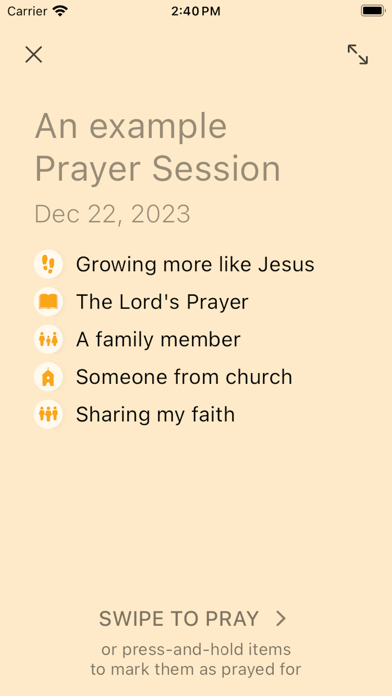
Echo Prayer
Useful when group prayer updates are central to your workflow.

A 3-day offline test plan
- Spend one full day in airplane mode.
- Add and revisit at least five real requests.
- Reconnect and verify continuity.
- Keep the app that preserves calm and follow-through.
Related: [prayer app privacy](/blog/prayer-app-privacy) and [private prayer journal app](/blog/private-prayer-journal-app).
FAQ
Is PrayerNotes free?
No. PrayerNotes is paid.
Can a free app still work offline well?
Yes, depending on your needs and the app's design choices.
What is the biggest mistake in choosing offline tools?
Testing only with demo data instead of real weekly prayer requests.